Skip to content

Search setup guide

How to Set Up Marketplace AlertsFrom Search Setup to Alerts

Set search details once with standard fields or a supported marketplace search URL, sharpen the matching rules, inspect filtered-out listings, and let Classifindr send relevant alerts to the channel where you can move first.

AI relevanceFilters the noise
Relevant alertFresh listing found

Push to phone, open the source listing, message the seller.

The setup path

Create and filter your search

The product is built so you can start simple, then tighten each search as real listings teach you what is worth seeing.

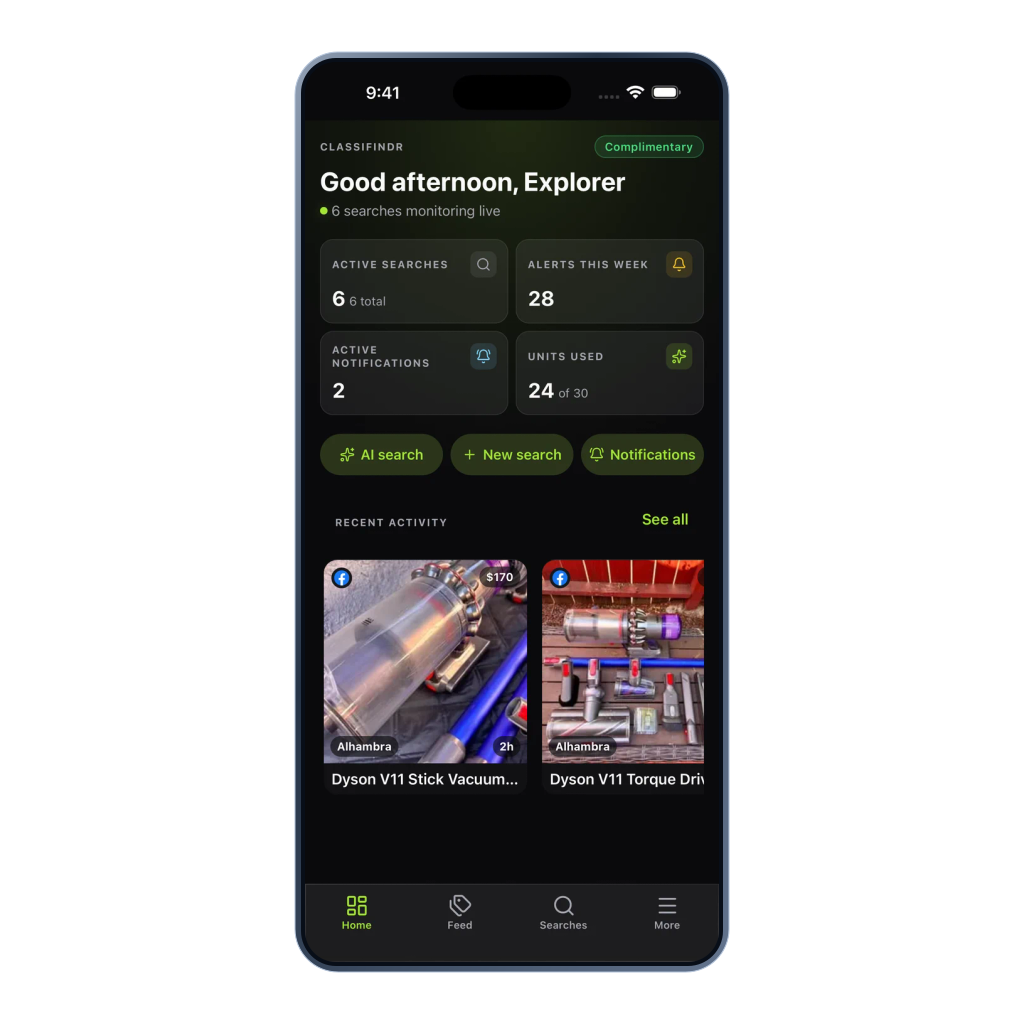
Current mobile Home overview with active searches and recent matches

01 · Choose your item

Describe the item you want

Create your account, then decide the exact deal you want Classifindr to check for. A focused search beats a pile of random marketplace tabs.

  • Email, Google, Apple, or passkeys
  • No marketplace credentials
  • Ready for web, iOS, and Android
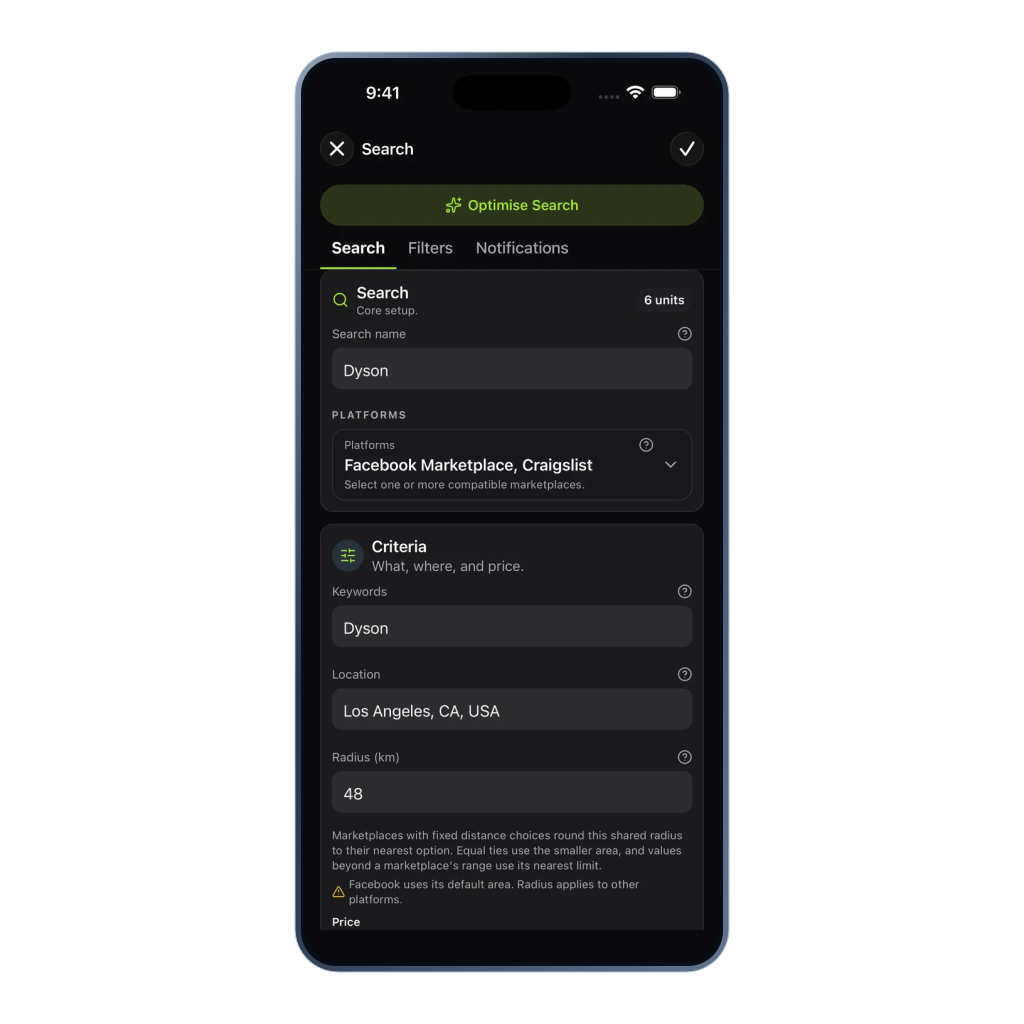
Current mobile search editor with marketplace, keyword, location and price controls

02 · Set search details

Set the marketplace, location, price, and speed

Use the AI wizard or manual editor for standard searches, or choose Custom URL mode when a supported single-platform marketplace search URL already carries the advanced filters you need.

  • AI or manual setup
  • Custom URL mode
  • Check every 1, 10, or 60 minutes
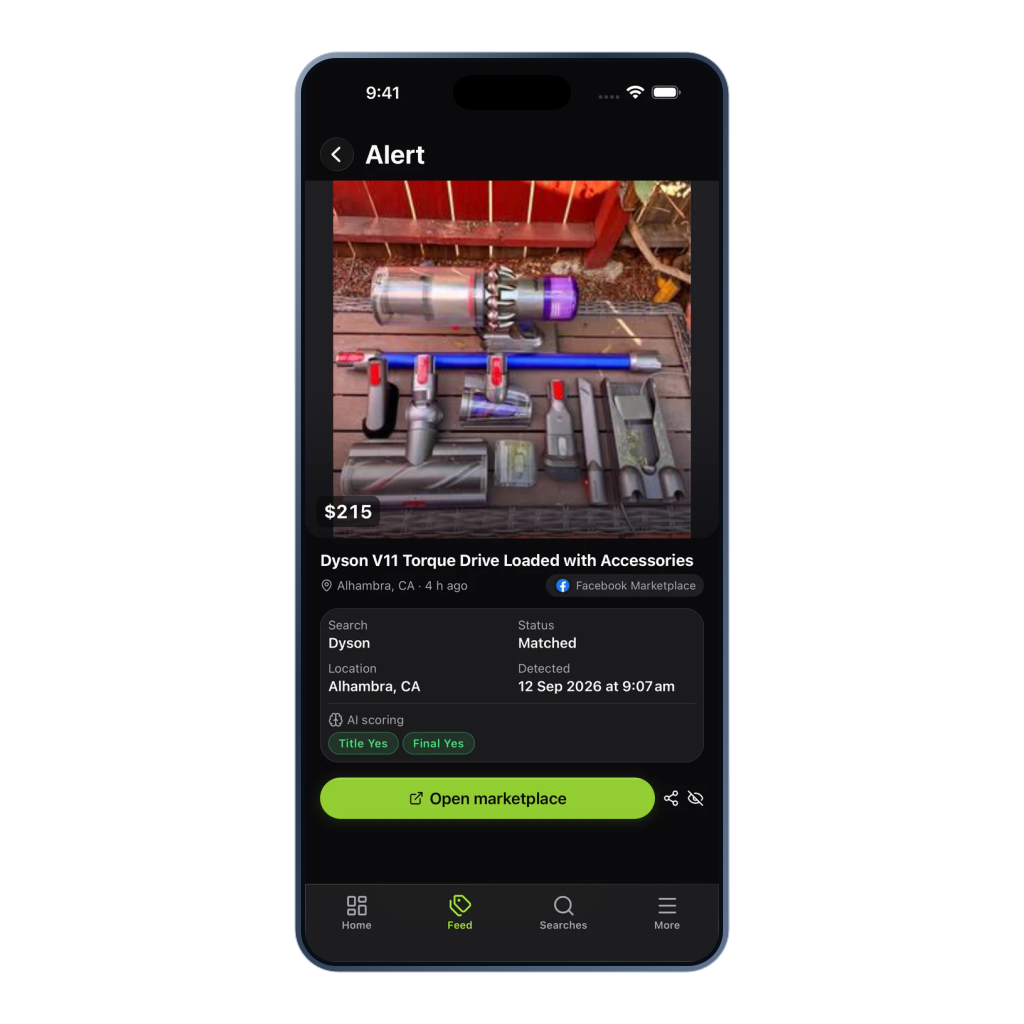
Current mobile alert detail with listing information and AI match signals

03 · Add listing filters

Add filters and review excluded listings

Add include terms, exclude terms, category and condition filters, and AI relevance context. Filtered listing review shows which listings were filtered out so you can avoid over-tight rules.

  • Include and exclude rules
  • AI relevance filtering
  • Filtered-out listing review

From search to action

Choose alert channels and review matches

Once the search is sharp, Classifindr keeps checking in the background and sends the right matches to the place where you can review and act quickly.

Current mobile Home overview with active searches and recent matches

04 · Choose alert channels

Choose where alerts are delivered

Route urgent searches to mobile push or Telegram, shared hunts to Discord, lower-pressure searches to email or Web Push, or structured alerts to your own tools with webhooks.

  • Mobile push
  • Telegram and Discord
  • Email, Web Push, and webhooks
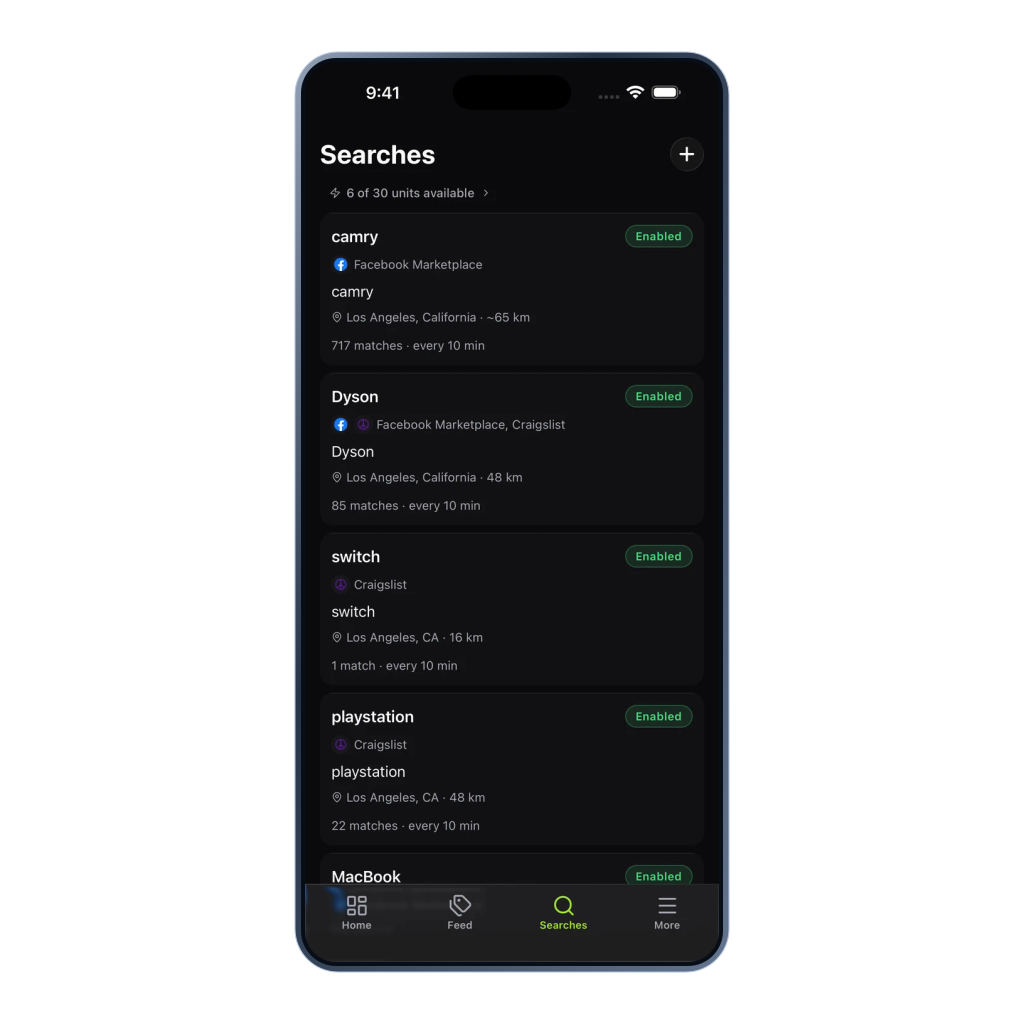
Current mobile Searches overview with check speeds and match counts

05 · Check for new listings

Let Classifindr check for new listings

Activate the search and Classifindr checks at the speed you chose. Search health stays visible so you know the search is doing its job.

  • Independent search schedules
  • Search health visibility
  • Reusable unit capacity
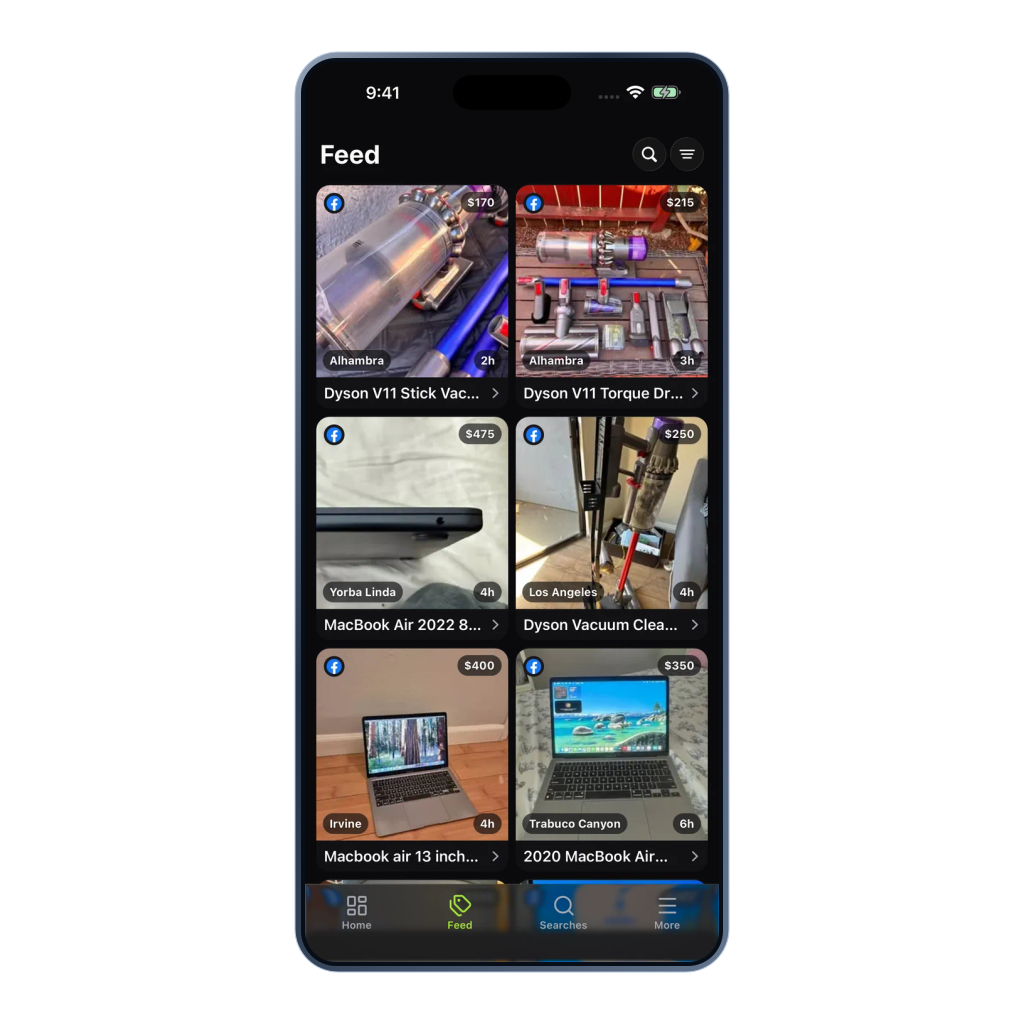
Current mobile Feed with vacuum and laptop listings

06 · Review matches

Review the match and open the original listing

When a matching listing appears, review the alert feed on web or mobile, inspect match reasons and filtered-out listings, and jump to the original listing quickly.

  • Matched and filtered views
  • Direct source listing link
  • Web and mobile review

Manual browsing vs automatic alerts

Manual browsing compared with automatic alerts

Manual refreshing makes you trade your day for a chance at a deal. Classifindr keeps the search running, filters the noise, and gives you a faster shot when the right listing appears.

Manual refresh loop

Manual browsing: repeat searches on each marketplace

  1. 1Keep marketplace tabs open
  2. 2Repeat the same search
  3. 3Sort through stale results
  4. 4Message after faster buyers

Classifindr search loop

Automatic alerts: set up once and receive new matches

  1. 1Create the search once
  2. 2Let checks run every 1, 10, or 60 minutes
  3. 3Filter for relevant matches
  4. 4Open the source listing fast

Ready to set up your first search?

Create an account, set up a marketplace search and receive alerts for new matching listings.

  • No marketplace login needed
  • 7 days free, 10 trial units
  • Cancel any time
  • Encrypted, passwordless sign-in

Before you download

Use the website for plans and trials

Plans, trials, and billing changes are managed on the Classifindr website. The iOS app is free to download and works with your same account.