Start with the buying decision
Choose a market and vehicle type, then narrow the search with the make, model, year, mileage, price, and location that matter to you.
Auto Trader vehicle alerts

Build a dedicated vehicle search around the market, make, model, year, mileage, price, and location that fit your buying plan. Classifindr keeps checking and sends useful matches to the channels you choose.



Search features
Broad car searches can mix the wrong models, years, distances, and price bands. Auto Trader controls help turn that browsing habit into a focused Classifindr search that is easier to review.
Choose a market and vehicle type, then narrow the search with the make, model, year, mileage, price, and location that matter to you.
Run one search for an urgent purchase and another for broader market research instead of mixing every acceptable vehicle into one feed.
Open the Auto Trader listing from a match to confirm the current vehicle details, price, location, and next steps.
Auto Trader alert workflow
Set the vehicle criteria once, choose how often it should be checked, and route useful matches to the place where you respond fastest.
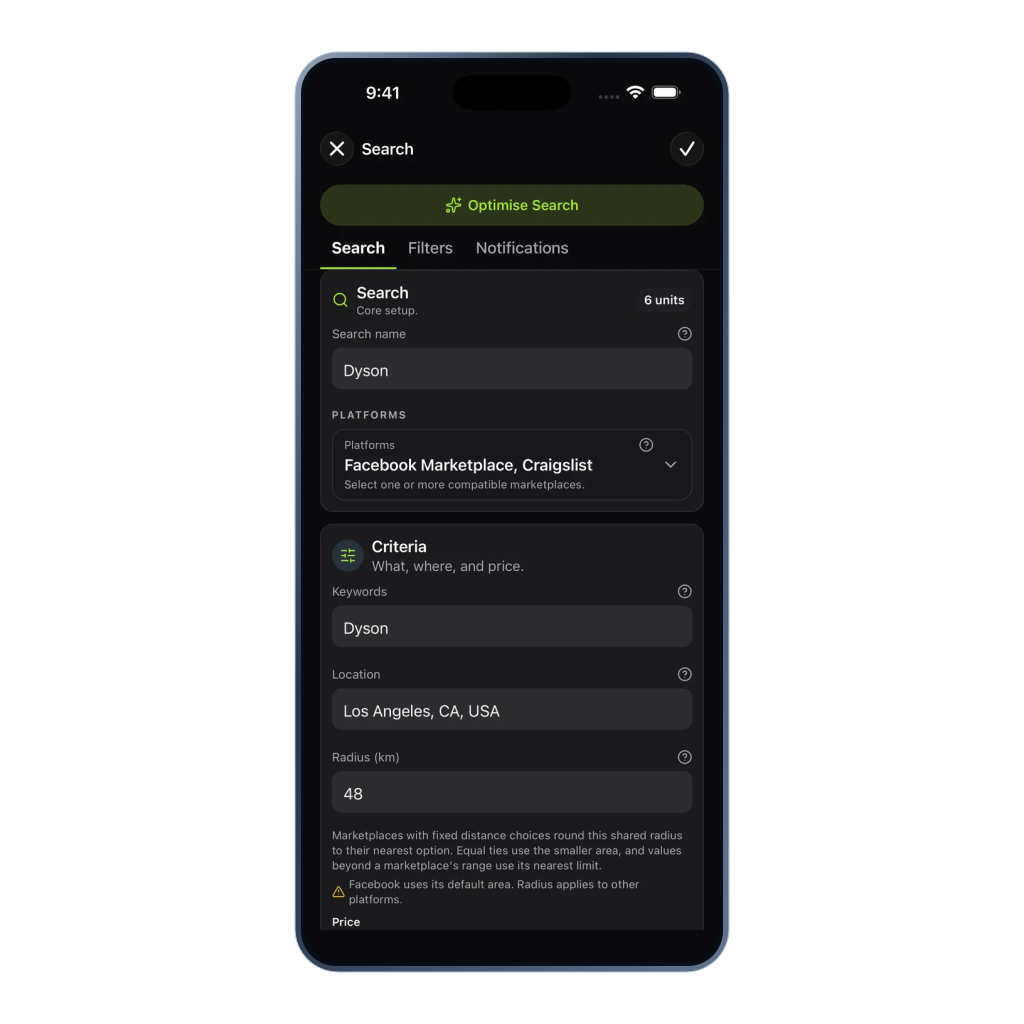


Search controls
The available choices adapt to the selected market and vehicle type so each search stays relevant to the vehicle you want.
Choose a supported location in Australia, Canada, the United Kingdom, or the United States, then select the available vehicle type.
Follow a specific manufacturer and model when the exact vehicle matters more than a broad keyword search.
Set a practical year range and maximum mileage in the units used by the selected market.
Keep results inside the budget or buying range that makes the vehicle worth reviewing.
Distance behavior varies by market: Australia accepts kilometres, the UK accepts whole-mile values, the US uses fixed choices, and Canada uses Auto Trader's non-editable 100 km default.
Use available body, fuel, transmission, condition, and seller choices to make the search more specific.
Require important wording and reduce parts, projects, unsuitable trims, or other recurring low-fit results.
Use 1, 10, or 60 minute checks, then send matches to the notification channels that fit your response plan.
The focused vehicle workflow
Manual refresh loop
Choose the same vehicle details again whenever you return to see what has changed.
Work through listings you have already considered before finding the few that deserve attention.
Return after a gap and discover that a strong match appeared while you were focused elsewhere.
Classifindr watch loop
Give each search a defined market, vehicle, budget, distance, and check speed.
The search continues at the 1, 10, or 60 minute cadence you select.
Review the strongest matches, then continue on Auto Trader when a vehicle looks worth pursuing.
Trust and coverage
Classifindr does not ask for an Auto Trader sign-in. Monitoring is best effort, and every match links back to the original listing for your review.
Your marketplace account stays separate, and vehicle enquiries continue through the original Auto Trader experience.
Create searches for Australia, Canada, the United Kingdom, or the United States using the vehicle choices available in that market.
Confirm availability, specifications, price, location, history, seller information, and buying terms before acting.
Example watches
These vehicle searches benefit from clear specifications, a realistic buying area, and a check speed matched to how soon you can act.
Track one make and model with a year range, mileage ceiling, location, and maximum price instead of repeating a broad car search.
Follow available vans, light commercial vehicles, or road trucks with the body, fuel, transmission, location, and budget that fit the job.
Use the available regional vehicle choices to monitor a focused road motorcycle, scooter, campervan, or motorhome search.
Related resources
Use these guides to choose practical vehicle criteria, check speeds, and buying-review steps.
Other supported platforms